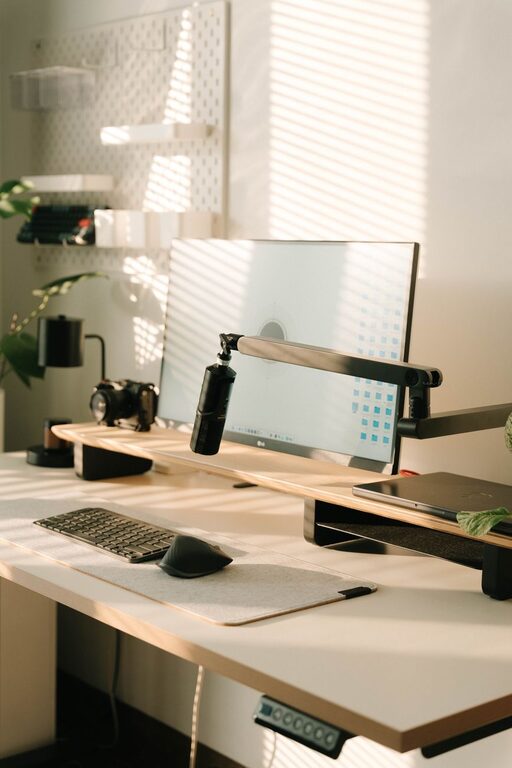
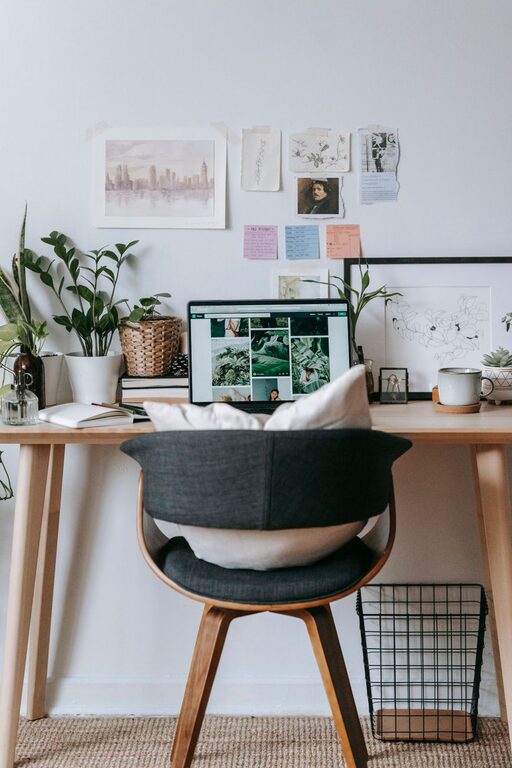
Creating a home office that balances comfort and function can make a big difference in your work-from-home experience. Whether you have a dedicated room or a small corner, designing a space that feels inviting and supports your productivity is key. Here are some practical tips to help you create a cozy and functional home office space.
Choose the Right Location
Finding the ideal spot for your home office depends on your available space and work needs.
– Quiet and Private: Select an area away from high-traffic parts of the home to minimize distractions.
– Natural Light: Place your desk near a window to benefit from natural light, which can boost mood and reduce eye strain.
– Space for Essentials: Ensure you have enough room for your desk, chair, and storage without feeling cramped.
Invest in Comfortable and Supportive Furniture
Your furniture plays a crucial role in both comfort and productivity.
– Ergonomic Chair: A chair with good lumbar support helps prevent back pain during long work hours.
– Adjustable Desk: Consider a desk with adjustable height to switch between sitting and standing positions.
– Adequate Desk Space: Choose a desk that provides enough surface area for your computer, notebooks, and other essentials.
Organize Your Workspace Efficiently
A tidy workspace helps maintain focus and reduces stress.
– Declutter Regularly: Keep only what you need on your desk to avoid distractions.
– Use Storage Solutions: Utilize shelves, drawers, or filing cabinets to organize supplies and documents.
– Cable Management: Use clips or cable organizers to keep cords neat and out of the way.
Personalize with Cozy Touches
Adding personal and cozy elements can make your office feel more inviting.
– Soft Textiles: Incorporate a throw blanket or cushions for extra comfort.
– Plants: Indoor plants add color and can improve air quality.
– Artwork and Decor: Hang inspiring artwork or photos that make you feel motivated and relaxed.
Optimize Lighting
Good lighting is essential for reducing eye strain and maintaining energy.
– Layered Lighting: Combine ambient lighting with task lights like desk lamps.
– Adjustable Brightness: Choose lighting options with adjustable brightness to suit different times of day.
– Avoid Glare: Position screens and lights to minimize glare on your monitor.
Create Zones for Different Activities
If space allows, dividing your office into zones can boost efficiency.
– Work Zone: The primary area with your desk and computer.
– Reading or Planning Zone: A small area with a comfortable chair for reviewing documents or brainstorming.
– Storage Zone: Dedicated shelves or cabinets for keeping supplies and files organized.
Maintain Good Air Quality and Temperature
Comfort includes the room environment too.
– Ventilation: Open windows regularly or use an air purifier to keep fresh air circulating.
– Temperature Control: Use a fan, heater, or thermostat to keep the room at a comfortable temperature.
Set Up Technology for Efficiency
Your tech setup can support smooth workflow and reduce frustration.
– Reliable Internet: Ensure you have a strong Wi-Fi signal.
– Multiple Screens: If your work benefits from it, consider using dual monitors for better multitasking.
– Charging Stations: Keep chargers and power strips accessible to avoid cable clutter.
Establish a Routine and Boundaries
Even the best-designed office works best with a solid routine.
– Designate Work Hours: Stick to a schedule to separate work time from personal time.
– Breaks and Movement: Take regular breaks to stretch and rest your eyes.
– Clear End-of-Day Ritual: Set a routine to shut down your workspace, signaling the day’s end.
—
Creating a cozy and functional home office space is about balancing comfort with efficiency. By carefully planning your location, furniture, lighting, and organization, you can build a workspace that supports your daily tasks and makes working from home a pleasant experience. Start with small changes, and customize your office to fit your unique needs and style.